The tools behind your ideas

A little more possibility.
A lot more control.

Start with a drawing, a picture or a few words. Meteor gives you room to turn it into embroidery, and the precision to make it your own.

How it works

From idea to hoop in four steps.

  1. Draw, trace or type

    Draw with pen tools, sew a picture's colors with the magic wand, auto-digitize a whole image, or set lettering in any Google Font or font file.

  2. Refine

    Edit curve nodes, pick the stitch type, angle and density, and set the sewing order. Stitches update as you drag.

  3. Check

    Watch it sew in the simulator, see thread build-up, and let the design check catch problems before the needle does.

  4. Export and sew

    Save PES or DST for your machine and print a worksheet with threads, size and sewing time.

Auto-digitize

Drop in a picture. Get a stitch file.

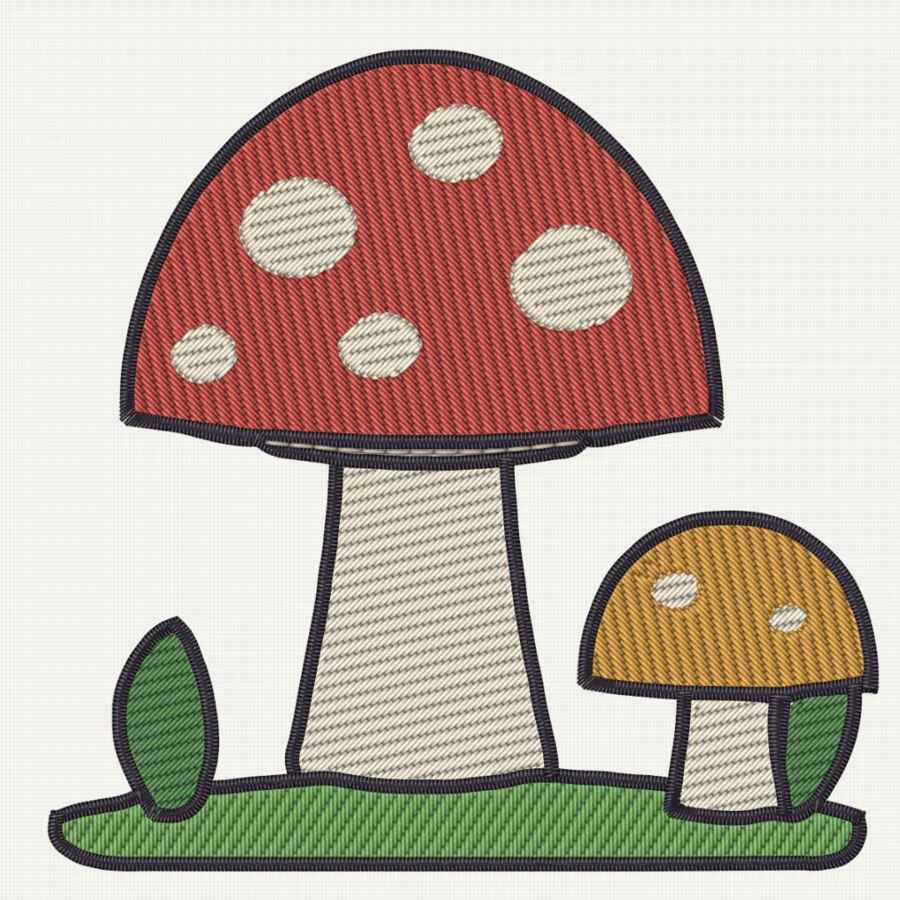
Meteor reduces a picture to thread colors, traces every area into smooth shapes, and sews it. Dark line art becomes satin outlines, fills tuck under them, and each thread sews together so you change spools less often.

Objects
31
Stitches
9,596
Threads
7
  • Every shape keeps curve nodes you can edit.
  • Guided mode walks through a picture or SVG piece by piece and suggests a stitch type for each.
  • Ink/Stitch SVG files open with their stitch types.

A flat drawing of a red mushroom with cream spots and a small orange mushroom on grass The same mushrooms as embroidery, auto-digitized by Meteor and drawn in realistic thread
PictureSewThreadCompare

Magic wand

Click a color. Get stitches.

Place a picture, pick the wand and click a patch of color. Meteor floods it, follows soft shading, and sews it as a fill or a satin column.

  • Shaded areas come out as one piece, in their main color.
  • Colors close to a thread you already use reuse that thread.
  • Thin outlines become one running line, sewn out and back.
  • Fills reach under outlines, so no fabric shows beside them.
  • The result is a few smooth curve nodes you can refine by hand.

Lettering

Lettering in your own style.

Pick a Google Font or add a font file. Meteor traces each letter into satin strokes the way a pen would write it, then sews the word with the fewest jumps and trims, travelling under its own stitches. Eight hand-digitized fonts come built in.

Real output from Meteor's font digitizer.

The studio

A studio that works like the tools you know.

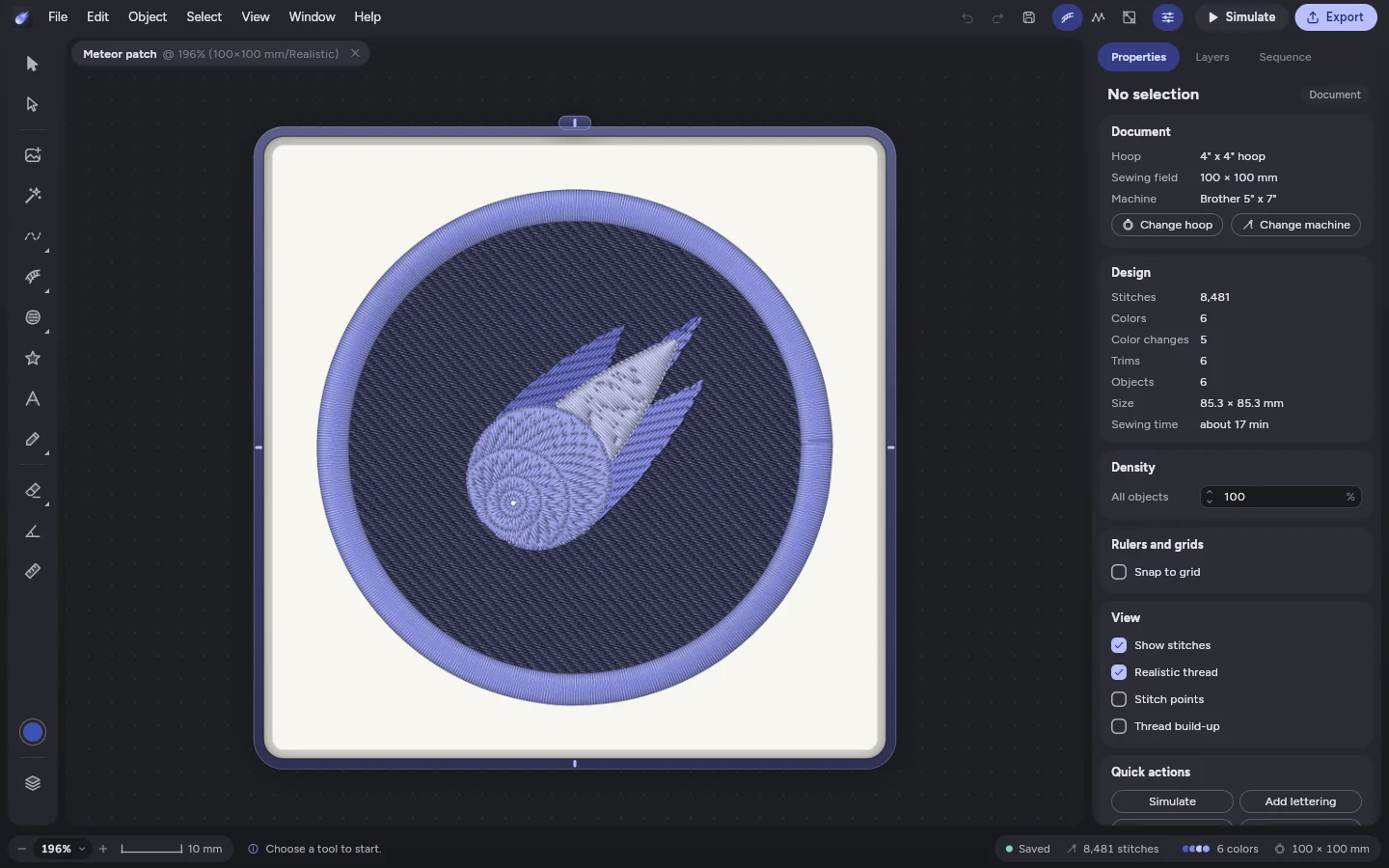
Pen and node editing, layers and a sewing sequence, properties for every object, and thread that looks real on screen at its true size. The same studio runs on a computer or an Android tablet, with a finger or a pen.

The Meteor studio on a computer: a round patch of the Meteor logo in realistic thread, the tools on the left and the design's stitches, colors, trims and sewing time on the right

Short stitches on curves

On the inside of a curve every other stitch stops short at a varied depth, so needle holes never pile up and cut the fabric.

Lettering routed for the machine

Fonts are traced into satin strokes, then each letter is sewn in the order with the fewest jumps and trims, travelling under its own strokes from one to the next.

Underlay chosen for you

Underlay and pull compensation follow the column width and the fabric, from stretchy knits to towels.

Sewing simulator

Play the design stitch by stitch in thread colors, with jumps and trims shown, to check the order before you hoop.

Production worksheet

Print the threads in sewing order, the design size, stitch count and sewing time, with a preview, for each run.

Applique and test sheets

Applique with your machine's own step codes, plus tension and density test sheets to dial in a new fabric.

A little imagination goes a long way

Your next idea starts here.

Every feature is yours to try. Free during the beta.

Get Meteor